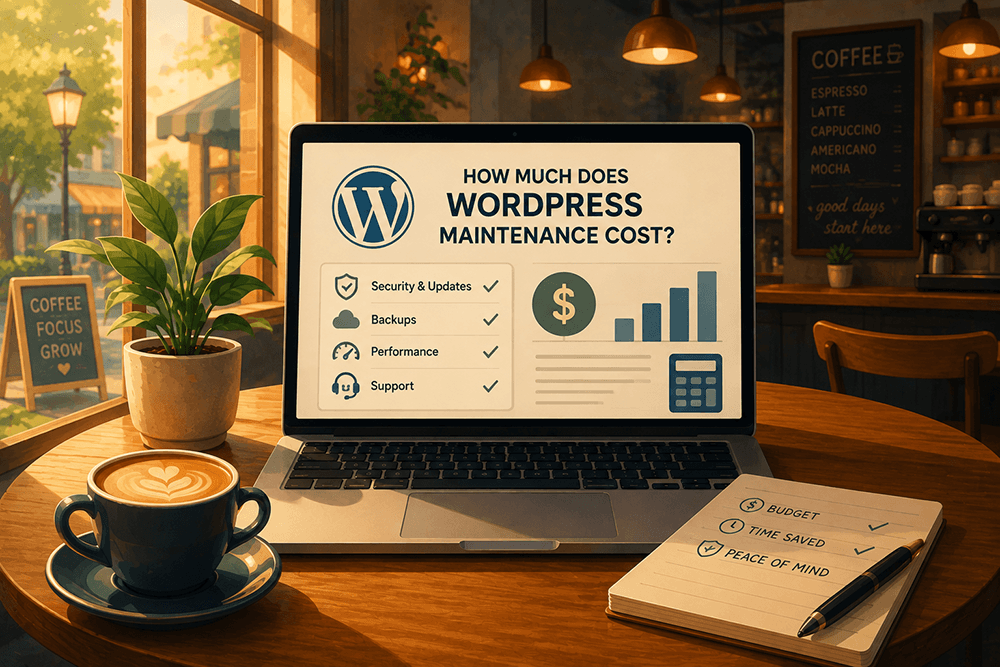
If you have shopped for WordPress maintenance, you already know the frustrating part. One quote is $29 a month. The next is $500. Both are called the same thing, and nothing on either page tells you what the difference actually is.
Here is the short answer. Professional WordPress maintenance runs roughly $100 to $700 a month, and the number moves almost entirely on one variable: how much of it a person does versus how much of it a script does. Our own plans run $125, $349, and $695. The cheap end of the market is real and it is automated. The expensive end is real and it is staffed. Most of the confusion in between comes from providers who price like the second one and deliver like the first.
This is what each level actually buys, and the five questions that tell you which one you are looking at.
What the market actually charges
Four price bands, and they are genuinely different products.
Free, meaning you do it. WordPress checks for updates on its own. WordPress.org's documentation says that "by default WordPress runs auto-updates twice per day," and if you enable auto-updates on your plugins, a lot of this does happen without you. Worth knowing: those checks run on WP-Cron, which fires when someone visits your site. On a low-traffic site they may not run on anything like a schedule.
The real cost here is not the software. It is that when an update breaks your contact form on a Thursday, you are the one who finds out about it, and you find out from a customer.
$25 to $50 a month, automated plans. These run updates and scans on a schedule and email you a report. Nobody reads the report but you. That is not nothing, and for a hobby site it may be plenty. It is worth being clear-eyed about what it is: software watching software.
$100 to $700 a month, managed plans. A person is involved. Updates get tested somewhere other than your live site, someone looks at what changed, and when something breaks there is a human whose job it is to fix it. This is where our three plans sit.
$50 to $250 an hour, ad hoc. Codeable puts WordPress freelancers at $50 to $150 an hour and agencies at $100 to $250. This is the band you land in by default when you have no plan and something breaks, and it is the only band where the bill arrives on the worst day of your month.
Why the range is so wide
Three things drive the number, and only one of them is software.
Hosting is baked in, or it is not
Some providers bill maintenance and hosting separately, which makes their maintenance number look smaller and your actual number bigger. Ours includes managed WordPress hosting, which matters beyond the arithmetic: when the site is slow, one company owns both the server and the site, and there is nobody to point at.
Speed is worth being precise about, because the internet oversells it. Google's own page experience documentation says "Core Web Vitals are used by our ranking systems," and then immediately adds that "Google Search always seeks to show the most relevant content, even if the page experience is sub-par." So speed is a real signal and it is not a magic one. Being fast will not rescue a page nobody wants. Being slow will lose you visitors who leave before the page renders, which is the part that actually costs money.
Security is an ongoing job, not a feature you buy once
WordPress runs 41.2% of all websites and 59.1% of every site with a known CMS, which makes it the most attacked platform on the internet by simple arithmetic.
Patchstack's State of WordPress Security in 2026 found 11,334 new vulnerabilities in the WordPress ecosystem in 2025, a 42% jump over the year before. 91% of them were in plugins. Six were in WordPress core. Outdated plugins are one of the most common ways a site gets in trouble, and that split is why.
Two numbers from the same report matter more than the headline. 46% of those vulnerabilities had no patch available on the day they were made public. And the weighted median time from public disclosure to the first exploit attempt is five hours.
Five hours is the whole argument. It is shorter than a business day. A plan that updates your plugins on the first Monday of the month is not protecting you from that, and neither is one that scans and emails you about it. What closes a five-hour window is someone who already knows which plugins you run and can act the same day.
Human time costs what human time costs
Priority support, monthly hours, a real response when something breaks: all of that is a person, and people are the expensive part of any service business. Cheap plans are cheap because automation is cheap. A cron job does not need health insurance.
This is the honest reason the tiers exist. The security stack does not get better as you pay more. The amount of human attention does.
What happens when nobody is watching
An author came to us recently. Years ago his publisher built his website for him, which sounds like the good version of this story. Somebody handled it.
By the time he called us his site was not slow. It was offline. It had enough malware on it that it had been taken down.
Then we hit the part that actually cost him. He did not have the logins. Not the hosting, not the domain, not WordPress. He had never had them. He owned that website the way you own a house whose builder kept every copy of the key, and the house was on fire.
The malware was not really the problem. The problem was that nobody was watching, and he did not know that, because he had been told it was handled. "Handled" had quietly come to mean "nobody's job."
This is the cost nobody quotes you. Published emergency cleanup prices from the major providers run about $137 to $300 flat, and Codeable puts full recovery at $200 to $2,000 and up once you count the parts that are not just removing files. None of those numbers include the days offline, the customers who hit a browser warning, or the weeks of proving to Google that you are safe again.
That last one is worth naming properly, because "Google penalizes you" is not quite what happens. Google's documentation describes labeling your result "This site may be hacked," showing visitors a full-page browser warning, and adding you to the Safe Browsing list that most major browsers use. Under Google's spam policies hacked content can also rank lower or drop out of results entirely. The warning comes first. It is the one your customers see.
What our plans cost
Three tiers. Every one of them includes the entire care stack, which is deliberate: you should never compare two of our plans and find that the cheaper one protects you better.
Covered, $125 a month. Managed WordPress hosting, daily backups on the server plus a second copy in the cloud, updates tested before they go live, security scanning and hardening, hack recovery, a staging environment, and two quick fixes a month. For the owner who rarely logs in and wants the site handled.
Managed, $349 a month. Everything in Covered, plus unlimited quick fixes, two hours of project and design work a month, extra hours at a discount, and a quarterly strategy call. For the business actively shipping new offers and changing the site.
Mission-Critical, $695 a month. Everything in Managed, plus front-of-queue priority, six hours of project work a month, a deeper discount on extra hours, and a monthly strategy call. For the owner whose revenue stops when the site does.
Every plan carries a 30-day satisfaction guarantee and white-glove migration when you join. See the full comparison on the Site Care Club page.
Two things that sit outside a plan on purpose, because pretending otherwise is how people end up disappointed: online stores need more than a care plan and get scoped separately, and getting found on Google and in AI answers is a different job from keeping the site safe and fast.
Five questions worth asking any provider
Price is easy to compare. This is how you find out what is behind it. Ask these of us, and ask them of whoever else you are considering. If you want the longer version, we wrote ten questions to ask a website maintenance company.
Do you test updates before they go live on my site? This is the question most providers hope you skip. Clicking "update all" on a live site is not maintenance, it is a coin flip performed on your behalf. Ours run on a staging environment first, on every plan including the $125 one.
If an update breaks something, who fixes it and what does that cost me? The answer should be "we do, and nothing." A plan that updates your site but bills you when the update breaks it has transferred the risk back to you and kept the fee.
Is hosting included, or is that a separate bill? Two vendors means two opinions about whose fault it is. Get the total, not the headline number.
Where does my backup live? A backup on the same server as your site is not a backup, it is a copy. If that server has a bad day, you lose both. There has to be a second copy somewhere else.
Is hack recovery included, or is it a separate emergency invoice? This is the one that separates plans most sharply, and almost nobody advertises the answer. Hack recovery is included in all three of ours, at $125 as much as at $695. It is the difference between a bad Tuesday and a $2,000 one.
A position we will defend
Standard advice says keep everything updated, always, immediately. We do not run it that way.
Security patches go on immediately. Everything else waits until it has been tested on staging. Given that 46% of vulnerabilities are public before a patch exists, and that the first exploit attempt lands within about five hours, treating a security fix and a feature release as the same kind of update is how sites break in both directions at once: too slow on the ones that matter, too fast on the ones that do not.
That takes someone who knows the difference. It is most of what you are actually paying for.
Frequently asked questions
Is WordPress maintenance worth it?
For a site that brings in leads or revenue, the math is not close. A managed plan costs less per month than a single hacked-site cleanup, which runs $137 to $300 flat at published rates and $200 to $2,000 and up once recovery is included. That comparison ignores the days offline, which are usually the expensive part. For a site nobody visits and nothing depends on, a plan is a genuine luxury and we would rather tell you that than sell you one.
Can I do WordPress maintenance myself?
Yes, and some owners should. It takes a backup system you have actually tested, a place to try updates that is not your live site, and a plan for the Thursday an update breaks your checkout. If you have those three things and the time, do it yourself. Most owners find the third one is where it falls apart, because it always happens on the day you had something else scheduled.
How often does WordPress need updating?
WordPress runs auto-updates twice a day by default, per WordPress.org, but those run on WP-Cron and depend on your site getting traffic. Security patches should go on as soon as they are available and tested. Everything else can wait for a window where someone is watching. Speed matters more than schedule: with a five-hour median to first exploit, "we update monthly" is a sentence that should worry you.
What happens if I just do nothing?
Usually nothing, for a while. That is what makes it a hard expense to justify until the moment it is not. Then it is some combination of a browser warning in front of your customers, a site that is down while you find someone to help, and a bill from whoever you find. Deferred maintenance is not avoided maintenance. It is maintenance with interest.
Do I need a maintenance plan if my host says they handle security?
Ask your host whether they will log into WordPress and fix a broken plugin. Most will tell you, politely, that they keep the server running and the site is your department. That gap is what a maintenance plan is for. We wrote more about what hosting actually covers if you want the longer version.
Ready to stop thinking about this?
Website HQ keeps your WordPress site updated, backed up, and monitored daily, so you can run your business, not your website. See what each level covers at websitehq.com/wordpress-site-care-club.
If your site is already in trouble, start here instead: WordPress hacked? We can help.
Website HQ is a WordPress design, hosting, and care agency in Jacksonville, Florida, recognized by the Jacksonville Business Journal as one of the Top Advertising and Marketing Agencies in Northeast Florida for the third consecutive year.