I'm going to start with something a web designer probably shouldn't say out loud. If you run an established HVAC, roofing, plumbing or electrical company in Jacksonville, your website is almost certainly not where your work comes from.
Your work comes from where it's always come from. Referrals. The truck. The guy whose ceiling you fixed in 2019 who still has your magnet on his fridge.
So what is contractor web design in Jacksonville actually for? Two narrow jobs. Your site is what somebody checks once they already have your name in their hand. And it's where everything else you do (the truck, the Google listing, the neighbor) sends people to land.
Both of those happen after the decision to look you up has been made. That's a smaller job than "web design" makes it sound. It's also why a neglected site costs you more than it looks like it should.
If the work already comes from somewhere else, what's the website for?
You've probably had this argument with your office manager. Somebody says the website should be "doing more." Nobody can say what more means. Another year goes by.
If I were in that meeting, I'd say this. Your site is almost never going to find the customer. It sits at the end of two short trips. In one, someone already has your name from a neighbor or off the side of a van. In the other, your Google listing or your Facebook page or your yard sign hands them a link, and this is where the link goes.
Either way, they show up already leaning toward calling you. The site's whole job is to not talk them out of it.
And that's the sneaky part. When a slow site, or one that hides the phone number, loses somebody, it's losing someone who was most of the way to dialing.
You never find out, either. Nobody closes a bad website and then calls to explain why.
What does someone actually do on your site before they call?
Picture it. Six in the evening, water coming through a ceiling, and somebody is standing in that room with a phone in one hand and an envelope with your name on the back in the other. They're deciding whether to call you or find the next name.
You get about one scroll. In that scroll they answer three questions without knowing they're asking them.
Is this a real company with actual people in it? Has it been around a while? Can I reach somebody right now?
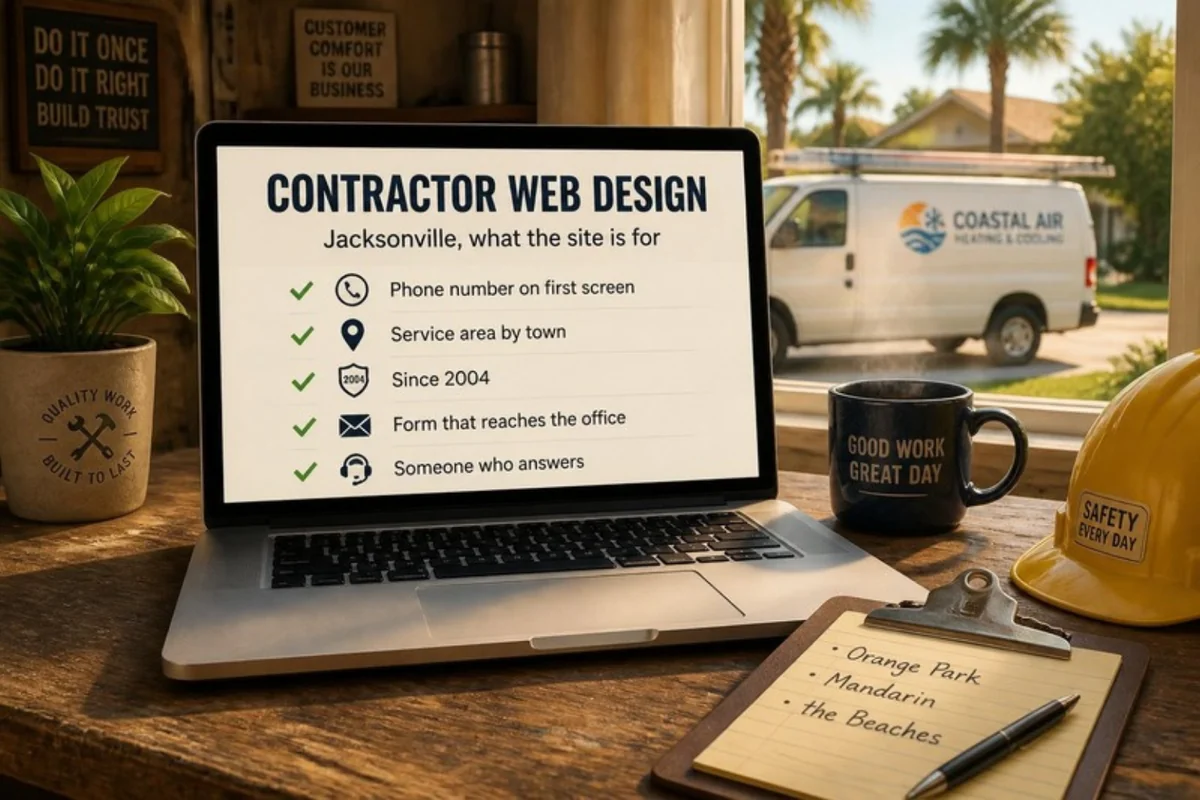
That's a design problem before it's a writing problem. The phone number has to be visible without scrolling, and it has to dial when they tap it. A founding year on the first screen does more work than three paragraphs about your commitment to quality.
Honestly, most of what I do on an existing contractor site is that. Moving the number up. Making it tappable. Putting "since 2004" where someone will see it.
One of those three questions comes up more than the others, though.
Does your site say whether you'll actually come out to where they are?
You know your dispatch radius to the mile. Your crews know it. Your website, I'd bet money, doesn't say it.
The Jacksonville metro runs across five counties, and "serving Jacksonville" means something different to the person reading it than it means to you. Somebody in Orange Park or Fernandina can't tell whether they're a customer or a wasted call. So most of them don't call.
The fix takes an afternoon. Write your coverage the way a customer would say it: towns and neighborhoods, no county names, no "30-mile radius." Put it on the first screen and in the footer of every page.
And say where you'll go for a scheduled install but not for a same-day call. Those are different maps, and your customers know it.
Same goes for whoever maintains the site, by the way. A Jacksonville WordPress team that answers during the hours your office does matters most on the afternoon something breaks.
What happens when the site goes down in your busiest week?
The week that breaks a website breaks everything else too. The phones haven't stopped since Monday, scheduling is a day behind, and nobody has a spare hour for a site showing an error message. It's also the week the site is carrying the most: your hours, your coverage, your form, the number people are dialing.
Sites fall over under load for a pretty unglamorous reason. The WordPress project's own optimization guidance says it plainly: without caching, "performance will slow to a halt as additional page requests come in and stack up, often crashing your web or database server." Caching just means the server hands out a saved copy of the page in place of rebuilding it from scratch for every visitor.
The prevention is boring, and it has to be in place before the busy week, not during it. Caching sized for the traffic you actually get. Monitoring that notices an outage before a customer does. And WordPress security that filters out the bot traffic that shows up alongside your real visitors.
Load is one of the two things that take a site down. The other one is the site itself.
Why does the site break after an update when nobody touched it?
This is the one that makes people furious, and I get it. It worked Thursday. Friday a page is blank. Nobody logged in.
A WordPress site is several pieces of software wearing one name. There's WordPress itself, a theme, and however many plugins have piled up over the years, and every one of them ships changes on its own schedule. Think of a house where the electrician, the plumber and the HVAC tech each come back whenever they feel like it to upgrade their own work, and none of them tell the others.
The contact form is where this usually shows up, and nothing announces it. The form loads. Someone fills it in. The page says thanks. Nothing reaches your office.
You find out three weeks later, from a customer who never heard back and went with somebody else.
Two things prevent that. Updates get tested on a staging copy first, meaning a private duplicate of the site where a change gets checked before it touches the real thing. And backups get restored, on purpose, before you need one. WordPress's own docs note there are two parts to a backup, the database and the files, and "you need both to be able to fully restore a typical WordPress site." A backup nobody has ever restored is a generator on the shelf that's never been started.
That's what WordPress maintenance means when I say it. Both of those, on a schedule, by someone who's done it before.
What does a hacked site look like on a contractor's domain?
The expensive part of a hack is your company name on a page you didn't write, in front of the person deciding whether to let your crew into their house on Thursday. The technical damage is second to that.
You almost never spot it yourself. It shows up sideways: a browser warning, a Google flag, your host taking the site offline, or your office fielding calls asking whether you're a real business. (You are. Your website is currently selling handbags.)
Recovery is a sequence, and the WordPress project's guidance for hacked sites puts documentation first: write down what you're seeing and when, before anything gets changed. Then the site gets cleaned or restored from a known-good copy.
Then every login gets new credentials, and I mean every one: the hosting panel, file access, the database, the WordPress admin.
Your office keeps getting those calls after the site is fixed, because Google clears warnings on Google's schedule. Restoring a hacked WordPress site has to cover the cleanup and the clearing, and the clearing is what makes the calls stop.
Every one of those steps belongs to somebody. In most companies I talk to, it isn't clear who.
What does "somebody handles the website" mean when nobody in the building does?
Ask around your office and you'll get three answers. The owner thinks the Jacksonville WordPress designer who built it is still watching it. The office manager thinks it's covered by whatever gets paid monthly. And the person who built it moved on years ago.
"Handled" is three jobs, and they fail separately. Somebody applies updates on a schedule, with a way to undo them. Somebody notices the site is down, which means monitoring, and never "I happened to look."
And somebody answers when it is down, during the hours your phones are ringing.
That last one is the difference between a project and an arrangement. A build ends. This doesn't, because plugins keep updating and certificates keep expiring. What you want is a named contact, a stated response window, and logins that more than one person can reach. WordPress services under a written scope is the version you can actually check.
What it costs depends on how many plugins the site runs, how much hands-on help you want each month, and whether hosting is billed separately. We work with Jacksonville trade businesses on exactly that footing. Our plans start at $125 a month with hosting included, and the current numbers are on the Site Care Club page.
Your crews handle the ceilings. We'll handle the website, so you can run your business, not your website. And if you'd rather talk it through first, book a free call. Bring the office manager. They already know where the bodies are buried.
Frequently asked questions
Who should have the website login when the owner, the office staff, and whoever built it have all had it at some point?
Two named people, and everybody else revoked. Start by listing the WordPress users on the site, then check who owns the hosting and domain accounts and where the renewal notices go. Anyone who has left, and any past vendor, comes off.
Our phone number is on the site but it isn't tappable on a phone. Design problem or settings problem?
Almost always settings, in how the number was typed in. A number entered as plain text is just characters on a screen. Written as a tel link, MDN's reference on telephone links notes, phones will dial it. Open your site on your phone right now and tap yours. I'll wait.
Do photos of finished jobs matter, and what keeps a page full of them from loading slowly?
They matter a lot. They're the one kind of proof a trade business has that a stock photo can't fake. What slows the page down is file size. The WordPress guidance is to pick the right format and compression for each image, and to consider a smaller format like WebP.
Is our Google map listing part of the website, or a separate thing?
Separate things that point at each other. The map listing is a profile you manage inside Google Business Profile. The website is a set of files on a server you pay for. The listing carries a link to the site, and that link is the only place the two connect.
If someone takes over our existing site, how long before anything changes?
A takeover starts with an inventory, so the first visible change is usually the move itself. When a site joins the Site Care Club we handle the migration, and it's usually done within a week. What drives the rest is what the inventory turns up: the WordPress version, how many plugins are running, whether backups exist, and how long it takes to round up the logins.
We run a 24-hour emergency line. Should that sit differently from the office number?
Yes, because they answer different questions. The office number goes where a first-time visitor looks for it, in the header and on the contact page. The emergency line needs its own labeled spot that says what hours it covers and what counts as an emergency.

You didn't start your business to become a WordPress technician, yet here you are treating your most critical business asset like a hobby project. While you're spending hours on updates and crossing your fingers that nothing breaks, your competitors are focused on what actually makes money.
👋 I'm Jeane Sumner, and Website HQ doesn't just host your site – we armor it, optimize it, and monitor it so you can get back to running your business instead of fixing it. Book your Site Care strategy call and never worry about your website again.
Written by Jeane (sounds like Genie) Sumner, founder of Website HQ, a boutique WordPress company in Jacksonville, Florida. Website HQ has kept WordPress sites online for small businesses since 2015 and was named to the Jacksonville Business Journal's list of Top Advertising and Marketing Agencies for 2026. Every claim in this article about our own plans was checked against the live Site Care Club page on October 4, 2026. Read how we make our content.