
Two WordPress care plans can both say they "handle everything." One tests every update on a copy of your site first, keeps a second backup somewhere else, and has a person who answers. The other runs a script that clicks "update all" and emails you when something breaks.
The price gap between those two might be $30 a month. The gap in what you get shows up the first time something goes wrong.
Here's the short answer. A WordPress care plan should include 8 things: hosting, updates that get tested before they go live, backups with a second copy off the server, security scanning plus hack recovery, monitoring, a staging site, a person you can reach, and a written list of what's excluded. We sell one of these, so read the rest with that in mind. We've also tried to make every question below one you can ask us as hard as you ask anyone else.
1. Hosting, or a written answer about whose fault it is
Plenty of care plans assume you bring your own hosting. That works right up until the site goes down, when the host points at the maintenance company and the maintenance company points at the host.
Two vendors means two opinions about whose problem it is. Ask whether hosting is included, and if it isn't, ask who you call at 4pm on a Friday when the site is showing an error and both companies say it's the other one.
Ours includes managed WordPress hosting on every tier. We'd rather own the whole problem.
2. Updates that get tested somewhere other than your live site
WordPress patches its own core. Your plugins are a different story, and they're where most of the exposure lives, so a care plan's real job is applying plugin and theme updates on a schedule, with a way to undo them.
The question that separates plans is where the update runs first. Clicking "update all" on a live site is a coin flip performed on your behalf. A proper plan runs the update on a staging copy, checks that the contact form still sends and the checkout still checks out, then pushes it live.
Ask: do you test updates before they go on my site, and if an update breaks something, who fixes it and what does that cost me? The answer you want is "we do, and nothing."
One thing we won't recommend to anyone, on any plan: switching on automatic plugin updates. An automatic update applies itself while nobody is watching. If your site is going to break, you want someone standing there when it does.
3. Backups with a second copy somewhere else
A backup stored on the same server as your site is a copy. If that server has a bad day, you lose both.
Daily backups are the baseline. The part to ask about is where the second copy lives and whether anyone has ever restored one. Some plans advertise backups and have never run a restore, which means you find out the backup is broken at the worst possible moment.
Two questions: where does my backup live, and when did you last restore one for a client? Ours are written to the server plus a second copy in the cloud, and restoring from them is part of the job.
4. Security scanning, and what happens when the scan finds something
Daily scanning for malware and known vulnerabilities is table stakes. The distinction that matters is what happens when a scan flags something.
Some plans send you an alert and consider the job done. That leaves you holding a hacked site and a separate emergency invoice. Ask whether hack recovery and malware cleanup are included in the monthly fee or billed on top.
This is the question almost nobody advertises the answer to. Hack recovery is included on every one of our plans, at $125 as much as at $695. It's the difference between a bad Tuesday and a $2,000 one.
5. Monitoring that reaches a person
Uptime monitoring means the provider knows the site is down before you email them Monday morning about a weekend of lost leads. Ours watches around the clock.
Be precise about what "24/7" means, though, because a lot of plans blur it. Monitoring can run all night. The people who act on it usually keep business hours, and a plan that implies otherwise deserves a direct question: who is actually working at 2am?
Our honest answer: the monitoring, the firewall and the automatic protections run 24/7. The humans work 9am to 5pm Eastern, Monday through Friday, and respond within one business day. We'd rather you know that on day one than discover it on a holiday.
6. A staging site, on every tier
A staging site is a private copy of your website where changes get checked before they touch the real thing. It's how updates get tested (see number 2), and it's where a new page or a design tweak gets built without visitors watching it half-finished.
Some providers hold staging back for their top plan. That's backwards, because staging is what makes safe updates possible, and safe updates are the whole point of the cheapest plan. Ask whether it's included at the price you're paying. Ours is on all three tiers, including the $125 one.
7. A person, with a stated response time
Most care plans include automated monitoring. Fewer include a human who will answer a question, change a DNS record, or look at a warning that appeared after an update you didn't run.
Get the response commitment in writing, and get the hours. "Priority support" means nothing without a number attached. A plan with a ticket queue and no published response time is telling you how it'll feel when you need it.
Ask who answers, how fast, and during what hours. Then ask the same of us. Ours is a person, by email, within one business day.
8. A written list of what's excluded
Every care plan excludes things, and that's fine. The problem is finding out at the moment you need help. The usual ones:
- Development work: new pages, new features, design changes
- Premium plugin license renewals
- Redesigns and rebuilds
- Online stores, which need more than a care plan and get scoped on their own
- Getting found on Google and in AI answers, which is a different job from keeping the site safe and fast
Some of our plans include monthly project hours for the first item, and we're upfront that the last two are separate work. What you want from any provider is that list, in writing, before you sign.
Red flags, in one place
- Backups stored only on the same server as the site
- No mention of testing a restore
- Updates applied directly to the live site, with no staging copy
- Hosting sold separately, with no clear answer about who owns downtime
- Malware cleanup listed as a paid add-on
- "Unlimited" anything with no scope written down
- No published response time
If you have to dig through fine print to work out what's included, you've learned something about how support will feel when you need it.
Where price fits
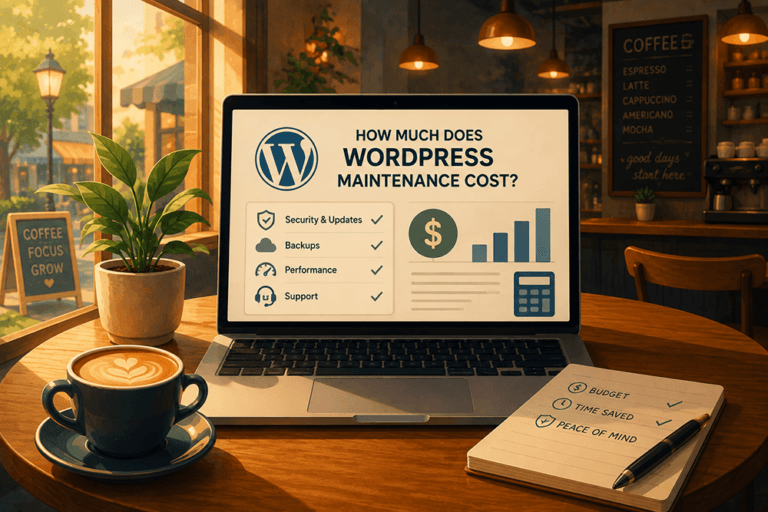
Price tiers reflect real differences, mostly in how much hands-on human time you get. A $50 plan and a $125 plan are different products, and the gap becomes obvious the first time something breaks. We've written up what WordPress maintenance costs and what moves the number, so this post can stay on what's inside the plan.
The takeaway
A WordPress care plan is the arrangement that lets you run your business, not your website. Every one of the 8 items above is a question you can ask a provider before you pay them, and the good ones will answer without flinching.
Website HQ's Site Care Club covers all 8 on every tier, starting at $125 a month with a 30-day satisfaction guarantee. See exactly what's included, side by side, on the Site Care Club page, or book a free call and we'll walk through your site's setup and tell you what it actually needs.

You didn't start your business to become a WordPress technician, yet here you are treating your most critical business asset like a hobby project. While you're spending hours on updates and crossing your fingers that nothing breaks, your competitors are focused on what actually makes money.
👋 I'm Jeane Sumner, and Website HQ doesn't just host your site – we armor it, optimize it, and monitor it so you can get back to running your business instead of fixing it. Book your Site Care strategy call and never worry about your website again.
Written by Jeane (sounds like Genie) Sumner, founder of Website HQ, a boutique WordPress company in Jacksonville, Florida. Website HQ has kept WordPress sites online for small businesses since 2015 and was named to the Jacksonville Business Journal's list of Top Advertising and Marketing Agencies for 2026. Every claim in this article about our own plans was checked against the live Site Care Club page on October 4, 2026. Read how we make our content.