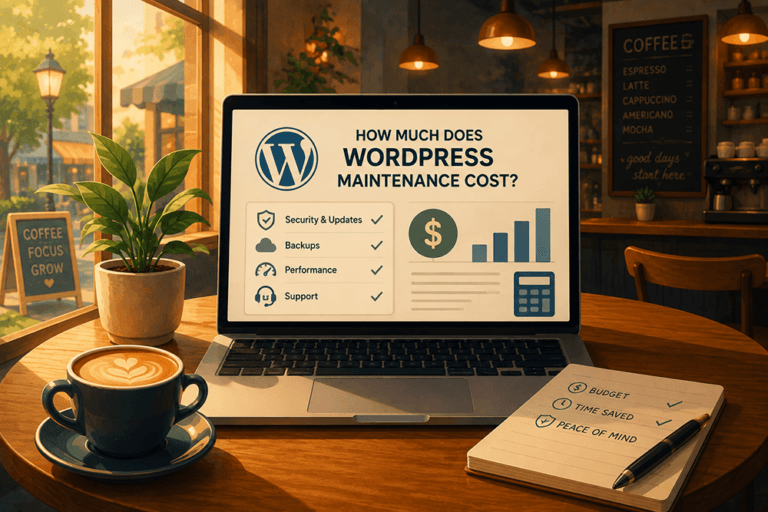

What does WordPress management actually cost?
Somewhere between "I'll just handle it myself" and "why is the site down again," every owner hits the same question: what does it really cost to keep a WordPress site running well? The honest answer depends on who does the work. You have three real options. Do it yourself, hire a freelancer, or put the site on a managed care plan. Here's what each one costs, what you get, and how to tell which one fits.
The monthly fee is the easy part
Most people compare WordPress management by the monthly fee. That's the wrong number to start with. The real cost has three parts: the money you spend on tools and help, the time you spend doing the work or chasing the person who does, and the risk you carry when nobody is watching the site. A plan that looks cheap on paper can cost you a weekend when the site goes down and you're the one on hold with the host. Keep all three in view as you read.
Option 1: Do it yourself
The DIY route looks free. It isn't. It's the option where you pay in tools and in your own hours.
Running a WordPress site properly means staying on top of a longer list than most owners expect:
- Managed hosting that can actually handle your traffic
- Core, theme, and plugin updates, tested before they go live so an update doesn't break the site
- Daily backups stored somewhere other than the site itself
- A firewall, malware scanning, and a valid SSL certificate
- Uptime monitoring, so you hear about downtime from a tool and not a customer
- Page-speed and image optimization, because a slow site loses visitors and rankings
- Vetting plugins before you install them, and removing the ones you don't use
- Basic SEO hygiene: clean URLs, schema markup, mobile-first checks, and an eye on your analytics
Priced out as software, the stack adds up faster than you'd think:
- Managed WordPress hosting: about $20 to $50 a month
- Security and firewall: roughly $200 to $500 a year for something like Sucuri
- Offsite backups: $8 to $30 a month
- Uptime monitoring and a CDN: free to about $20 a month with Cloudflare
- Premium plugins and licenses: $200 to $600 a year
Call it $75 to $175 a month in tools alone, before anyone has touched the actual site.
Then there's the part no invoice shows: your time. Updates, testing, the occasional "is this plugin trying to warn me about something," and the afternoon a five-minute change turns into a rabbit hole. One of our members, Sandra Torres of Cake Artista, added it up before she switched: "I had no idea I was spending almost $900 a month between tools and my own time. I thought I was being smart managing everything myself." DIY is only cheap if your time is worth nothing, and yours isn't.
DIY makes sense if you genuinely like this work, have the hours, and the site isn't tied to your revenue. For most owners it's the option they pick by default and regret by the third emergency.
Option 2: Hire a freelancer or the person who built it
The next step most owners take is to pay someone by the hour. Better than doing it yourself at 11pm, but it comes with its own math.
Freelance WordPress help in the US usually runs $75 to $150 an hour, and senior developers charge more. You'll see it two ways. Break/fix, where you call when something's wrong and pay for the fix: a single incident can run from $150 to several hundred dollars, and you can't predict when it lands. Or a solo retainer, a set monthly fee around $100 to $500 for a loose promise to keep an eye on things.
The problem usually isn't the rate. It's that you've hired one person, and one person goes on vacation, gets slammed, or moves on. When the site goes down, you're waiting on their reply. Bryan Soule at eMed Sports Group learned this the hard way: "Our site got hacked on a Saturday night. It took four days and no reply from our designer." The lowest hourly rate in the world doesn't help you at hour ninety-six with the site still down.
A reliable freelancer can work well if you have a simple site, a high tolerance for surprises, and a backup plan for when they're unavailable. Just price in the risk, not only the rate.
Option 3: A managed care plan
The third option rolls the whole stack and the humans into one predictable monthly fee. Instead of buying hosting here, security there, and a freelancer on top, you pay one team to own all of it.
A good care plan covers hosting, security, daily backups, updates that are run and tested, monitoring, and a real person who answers when you need something. The point isn't just maintenance. It's that one team is accountable for the site staying up, so you stop being the middle manager between your host, your plugins, and your developer.
Managed plans in the market range widely, from around $50 a month for light maintenance to $500 or more for a hands-on partnership. At Website HQ, plans start at $125 a month and go up based on how much hands-on help you want, never on how much it costs to keep your site safe.
Here's the part that surprises people: for many owners, a managed plan costs about what they were already spending on tools alone, and it hands back the hours they were losing to the site. That's the trade Sandra made, and she said she got three days of her month back.
It also buys a team that shows up. Julie Chenell, an online growth strategist, put it plainly: "She will respond to me on Thanksgiving Day at 7am if my WordPress site is down for any reason. She's someone you want in your corner."
A care plan fits owners whose site matters to the business and who'd rather spend their time running the company than looking after a website. Which, if we're honest, is most of them.
The three options side by side
| Do it yourself | Freelancer | Managed care plan | |
|---|---|---|---|
| Typical monthly cost | $75 to $175 in tools, plus your time | $100 to $500 retainer, or $75 to $150/hr break-fix | Starts around $125, all in |
| Your time | High. You do the work | Medium. You manage them | Low. They handle it |
| Who answers when it breaks | You | One person, when free | A team, on a response promise |
| Predictable? | Until something breaks | Rarely, especially break/fix | Yes, one flat fee |
| What's included | Whatever you set up | Whatever you scope each time | The full stack by default |
Numbers are typical US ranges for a small-business WordPress site in 2026, not quotes. Yours will shift with site size and how much hands-on help you want.
So what should you budget?
A rough rule of thumb, by what the site does for you:
- A simple brochure site you rarely touch: light DIY works, or an entry-level care plan around $125 a month for peace of mind.
- A site that brings in leads or bookings: budget for a managed plan with room for monthly changes, so improvements actually happen instead of piling up.
- A site your revenue runs on: this isn't the place to save fifty dollars. You want top priority and a team that treats downtime as the emergency it is for you.
Not sure which bucket you're in? That's a five-minute conversation. We'll tell you straight, even if the answer is that you don't need us yet.
How Website HQ handles it
Website HQ is a US-based team that runs WordPress sites for owners who have better things to do. One relationship covers hosting, security, daily backups, updates, and the small changes you'd rather not make yourself. If the site ever breaks, gets hacked, or just needs a human, you email a person who knows your name and your site, not a ticket queue. Every plan comes with a 30-day satisfaction guarantee, and if we're not the right home for your site, we'll say so.
Plans start at $125 a month. See what's included and pick your level on the Site Care Club page.
Your questions, answered
How much does WordPress management cost per month?
For a small-business site in 2026, expect roughly $75 to $175 a month if you do it yourself and buy the tools, $100 to $500 for a freelancer on retainer, and about $125 and up for a managed care plan that bundles the whole stack. The cheapest option on paper, DIY, is usually the most expensive once you count your own time.
Is a WordPress care plan worth it?
If your site is tied to your business, usually yes. The number that changes people's minds is time: most owners spend more hours than they realize on updates, backups, and troubleshooting. A plan folds the tools and the labor into one fee and gives the hours back. If your site is a hobby and you enjoy the upkeep, DIY is fine.
What's included in WordPress management?
At minimum: managed hosting, security and a firewall, an SSL certificate, daily offsite backups, core and plugin updates tested before they go live, uptime monitoring, and someone to fix things when they break. Better plans add page-speed work, monthly site changes, and strategy. Watch for "maintenance" plans that are really just hosting with a nicer name.
Can I just manage my WordPress site myself?
You can, and plenty of owners do. The honest question isn't whether you can, it's whether the tools plus your time add up to less than a plan, and whether you'll keep up with updates and backups once the business gets busy. If a missed update or a skipped backup would hurt, that's your sign to hand it off.
How much do freelancers charge to manage a WordPress site?
n the US, $75 to $150 an hour is common, more for senior developers. Some work break/fix and charge per incident, others offer a monthly retainer around $100 to $500. The rate is only half the picture. A solo freelancer is one person, so factor in what happens when they're unavailable and your site needs someone now.
Do I have to move my hosting to get a care plan?
It depends on the provider. We prefer to host the sites we manage because it lets us work faster and catch problems early, but we'll talk through your setup. If you're on budget shared hosting that's holding the site back, we'll tell you honestly rather than paper over it.
Does a care plan include SEO?
Usually not, and be wary of plans that promise it as a checkbox. Real SEO is its own discipline. At Website HQ it's a separate service that starts with an SEO audit, so you get a roadmap instead of a vague promise bolted onto maintenance.
Done being the website person?
You have three ways to keep a WordPress site running. Do it yourself and pay in hours. Hire a freelancer and hope they pick up. Or hand it to a team that answers, for one predictable fee. If you want help working out which one actually fits, book a quick call. We'll look at what you've got and point you to the right option, even if it isn't us.

Stop treating your WordPress site like a side project when your entire business depends on it working flawlessly. You didn't build your expertise to become a backup-obsessed, update-anxious website manager – yet that's exactly what's happening while your competitors focus on growth.
I'm Jeane Sumner, and Website HQ eliminates that distraction completely. We armor, optimize, and monitor your site like the business-critical asset it is. Schedule your rescue call and get back to what you do best.