
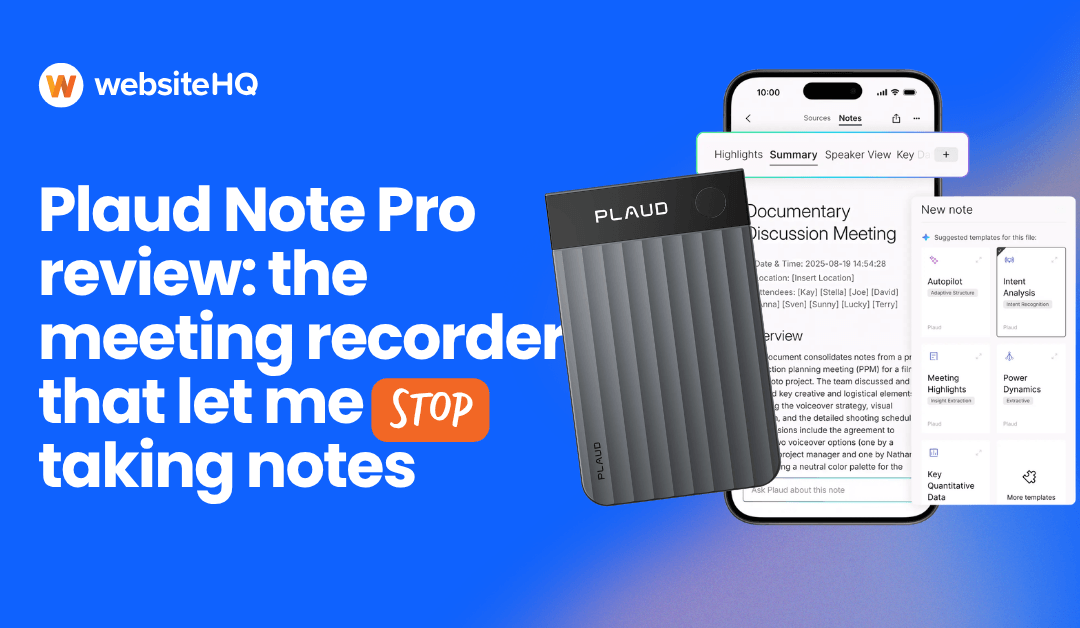
You can take good notes or you can have a good conversation. For about fifteen years I believed that was simply the trade, and I picked notes, because notes are what you can show a client afterward.
I was wrong about the trade. Here’s the review.
Disclosure up front: the product link in this post is a paid link. As an Amazon Associate and we earn from qualifying purchases at no additional cost to you.
The short version
The Plaud Note Pro is a $189 credit-card-sized recorder that transcribes what it hears, tells the speakers apart, lets you put real names on them, and hands back a summary you can share with everyone who was in the room.
Buying it also unlocks Plaud Desktop, which records your Zoom and Teams calls on your Mac or PC without a bot joining the meeting. That combination is the actual argument for it, and I’ll come back to it.
I bought it skeptical. It’s been in my pocket daily since. The catch is a subscription, and the thing nobody tells you is that recording people has legal rules that vary by state, Florida’s are strict, and the desktop app makes those rules more your problem rather than less.
That’s the whole review. The rest is detail for people who want it.
Who this is actually for
Skip it if:
- You record occasionally. Your phone is fine. Genuinely fine.
- All of your meetings are online, forever, with no exceptions. Otter and Fathom do that case well and don’t ask you to buy hardware.
- You need a searchable archive with legal-grade chain of custody. That’s a different category of product.
Buy it if your week has both kinds of meetings in it. Client calls on Zoom in the morning, a conference table in the afternoon. That’s the dividing line, and it’s the thing I got wrong when I first assessed this.
I assumed I was buying a recorder for rooms. What I actually bought was one place where all of it lands.
The part I didn’t know about when I bought it
Plaud Desktop runs on macOS and Windows and captures audio from your computer during meetings. It detects when a call starts and captures it natively, without joining as a bot. Because it’s pulling system audio rather than sitting in the call, it gets the other side even with headphones on.
Plaud’s detection list currently covers Zoom, Teams, and Google Meet in a browser, the Zoom and Teams desktop apps, Slack huddles, Webex, and Lark. Plaud is careful to say detection can vary depending on your operating system and whether you joined in a browser or a desktop app, and that the app’s own detected-meeting screen is the thing that actually tells you. So treat the list as the list rather than assuming it covers whatever you use.
You can also screenshot a slide mid-meeting and it feeds the image to the AI along with the audio, and type notes during the call that go into the same context. So the summary knows what was on screen when someone said “this is the number that matters,” which is more than my handwriting ever managed.
Two honest caveats. It’s still labeled beta. And the thing the press coverage keeps burying: the app is free, but Plaud’s own install requirements list a Plaud device bound to your account, plus an active membership. So “free desktop app” means free once you’ve bought a $189 recorder. Worth knowing which direction that transaction runs before you read a headline about a free app.
Why the combination is the actual argument
Otter and Fathom are good at online meetings. They’re not competing for the conference room, and they can’t. Software that joins a call cannot follow you into a client’s office.
A standalone recorder is good at the conference room and does nothing for your Zoom calls.
The reason I stopped evaluating this as a gadget is that it collapses those into one library. Same transcripts, same summaries, same search, same place. The Tuesday call and the Thursday site visit end up in the same system instead of two systems that don’t know about each other.
If your work is entirely remote, this argument doesn’t apply to you and you should buy Otter. If half your week is in rooms with people, this is the only tool I’ve found that covers both without me maintaining two workflows and remembering which one has the thing I’m looking for.
What the hardware is like
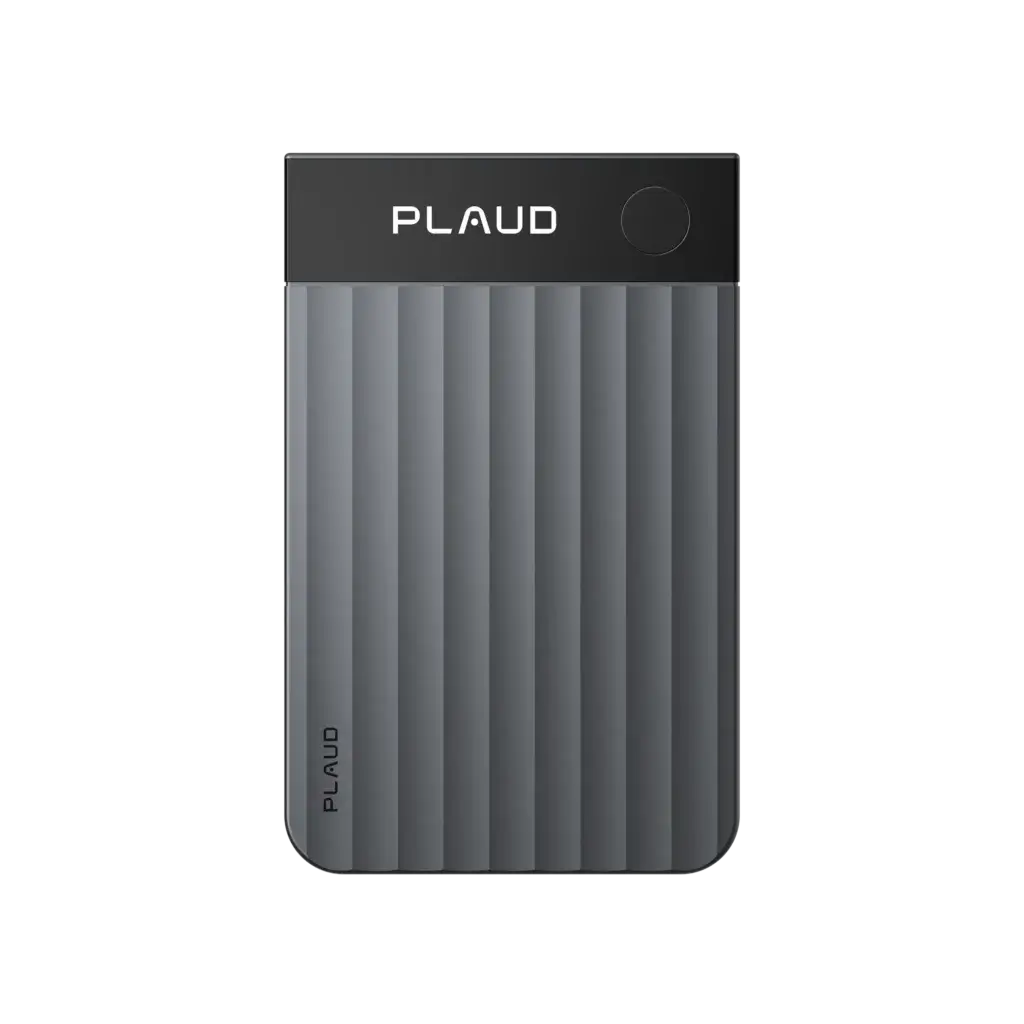
It’s 0.12 inches thick and weighs about an ounce. It’s built to stick to the back of a phone with a magnetic case, which is how I carry it and why I never forget it. Four MEMS microphones plus a voice processing unit, and it picks up voices across a conference table without anyone leaning in. Battery goes to 30 hours of recording, which is more than any reasonable person needs between charges.
There’s a small display that shows you it’s actually recording. Sounds trivial. It isn’t. The failure mode of phone recording is discovering afterward that it wasn’t recording, and a screen that says so removes an entire category of anxiety.
The physical design does one thing that matters more than any spec: it makes the recording visible. It sits on the table. Everyone sees it. That’s the opposite of a phone face-down between you, which reads as ambiguous even when it isn’t.
Hold that thought. It’s about to matter.
Where it actually earns the money
It tells people apart, and lets you name them
Automatic speaker detection, and then you go in and put names on them. The names populate the transcript right away.
This is the feature that turns a transcript into something useful. “Speaker 1 said the launch has to hit before Labor Day” is trivia. “Ruben said the launch has to hit before Labor Day” is a project constraint you can act on.
One workflow note worth knowing before you need it: name your speakers before you generate the summary. A summary that’s already been generated keeps the labels it was created with, and you have to regenerate it to pull in the names. Right order, non-issue. Wrong order, ten confused minutes.
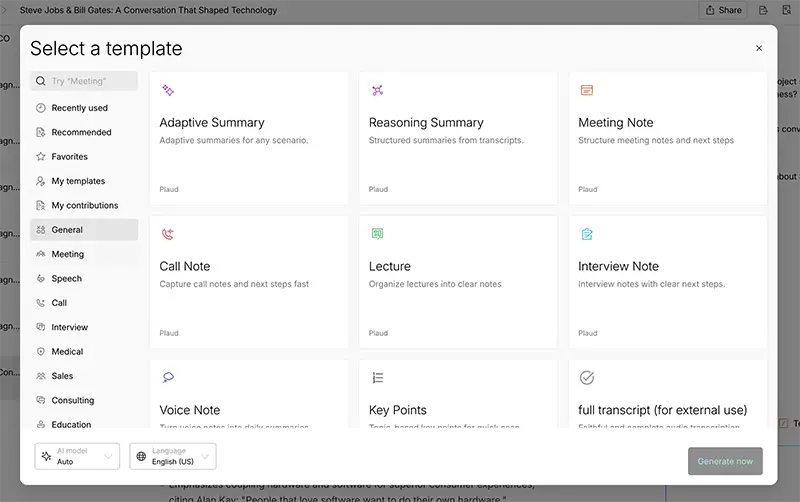
The summary comes back with owners on it
Once speakers have names, our summaries come back with action items attached to the person who took them on. Not a flat list. A list with owners.
Here’s why that’s worth more than it sounds. In any meeting with four people, everyone leaves with a different understanding of who owns what, and the gap doesn’t surface for two weeks. A summary with names on it collapses that gap on the same day, in writing, from a neutral party that isn’t you. Nobody argues with the recorder.
You can hand it to everyone else
Share the summary with the people who were there. Plaud’s plans include export in 27+ formats, on the free tier as well as the paid ones. They pull their own follow-ups, and you stop being the bottleneck who owes five people a recap email.
If you’ve ever run the meeting, written the notes, sent the recap, and chased the reminders, this is the part that changes your week rather than your afternoon.
The transcript feeds your AI
This is the piece I didn’t anticipate and now use constantly.
The summary Plaud gives you is good. It’s also generic, because it doesn’t know your business. But the full transcript is raw material, and raw material is what AI is good with. I take the transcript, hand it to Claude with our actual client-meeting-note format, and get back notes in our structure, with our terminology, in the shape our team already reads.
The device isn’t the whole workflow. It’s the input to the workflow. That distinction is why it survived past week two, when the drawer usually claims things.
The subscription, said plainly
Every device includes 300 transcription minutes a month at no charge, on the Starter plan. That’s five hours. For a lot of people that’s genuinely enough and you’ll never pay another dollar.
If it isn’t enough, the Pro plan is $99.99 a year or $17.99 a month for 1,200 minutes. Unlimited runs $239.99 a year or $29.99 a month.
Minutes reset each billing month and unused minutes don’t carry over. Desktop recordings run through the same Plaud account, so they draw down the same pool. Worth thinking about before you switch on automatic recording, because five hours a month goes fast once every Zoom call is being transcribed without you deciding to transcribe it. Answer honestly for a normal month, not a light one.
The straight comparison: Otter’s Pro plan is $99.99 a year for 1,200 minutes, the same price for the same minutes. You are not buying this to save money on transcription. You’re buying it because Otter can’t come with you to a client’s office.
The legal part, which most reviews skip entirely
If you’re in Florida, read this bit twice.
Florida is an all-party consent state under Statute 934.03. Every person in a private conversation has to consent before it’s recorded, and being in the conversation yourself doesn’t give you the right to record it. Florida courts have upheld the all-party rule repeatedly since the legislature put it in. Violating it is a third-degree felony carrying up to five years and a $5,000 fine, plus civil exposure.
The statute covers oral, wire, and electronic communications, so a Zoom call is not a loophole. There’s a nuance here that runs opposite to most people’s intuition, and it’s worth getting right. For in-person conversations, the law only protects people who have a reasonable expectation of privacy, which is why recording someone holding forth in a public park is different from recording a meeting in their office. That test does not exist for phone calls or video calls. On a call, consent is simply required. There is no privacy argument to fall back on.
The desktop app deserves its own paragraph. In Teams, a native recording puts up a banner that can’t be turned off. Zoom shows a recording disclaimer too, although admins on some account types can disable it for internal participants. Plaud Desktop isn’t the platform recording and doesn’t join as a bot, so those platform notifications don’t fire.
Plaud sells the bot-free part as a convenience, and it is one. Nobody wants a robot with your name on it sitting in the participant list. But be clear-eyed about the flip side: the only thing standing between you and recording four people who don’t know they’re being recorded is you saying a sentence out loud.
The hardware makes recording obvious by sitting on the table where everyone can see it. The desktop app makes it invisible. Same law, much easier to break by accident. If you switch on automatic recording, understand what you’ve automated.
And on an online call, everyone’s somewhere different. Courts have genuinely disagreed about whose state law governs, which is an excellent reason not to volunteer as the test case. Assume the strictest law in the meeting applies. Bear in mind that “strictest” isn’t only about getting a yes: Washington wants the consent captured on the recording itself, and Connecticut wants written consent, a recorded notice, or a beep tone.
Now the practical part: for most of us this is a solved problem and it takes one sentence. “I record my meetings so I can pay attention instead of taking notes. Is that alright with you?” Consent doesn’t have to be written in Florida. It has to be real, and it has to be from everyone. Plaud says the same thing on their own site: always ask for consent.
In a year, nobody has told me no. Several people have asked where to get one.
Around a dozen states require all-party consent, and several more split the rule depending on whether the conversation happens in person or over the phone. Oregon, Nevada, and Connecticut each draw that line differently. If you cross state lines for work, or take calls from people who do, look up where you’re standing and talk to your actual attorney rather than a website that sells WordPress support.
We’re including all of this because a tool recommendation that gets you charged with a felony is not a helpful tool recommendation.
What it doesn’t do
It won’t rescue a bad meeting. If the meeting was forty minutes of going in circles, you get a clean summary of forty minutes of going in circles. Garbage in, well-organized garbage out.
It won’t replace your judgment about what mattered. The summary catches what was said. It doesn’t catch that the client went quiet for a beat before agreeing, and the beat was the real answer. You still have to be a person in the room. That’s sort of the point: it frees you up to be one.
And it’s another device with another charger. If your relationship with charging cables is already adversarial, factor that in.
The verdict
$189 to stop choosing between paying attention and having a record of what happened, in the rooms you sit in and the calls you take.
I didn’t expect to keep it. I use it every day. The specific thing it gave back was the ability to look at someone while they tell me what they need, which I hadn’t realized I’d been trading away one meeting at a time for the better part of a decade.
Here’s the one we use. (paid link)
Frequently asked questions
What is the Plaud Note Pro?
A $189 credit-card-sized AI voice recorder that transcribes conversations in 112 languages, identifies individual speakers, and generates summaries with action items. It’s about 0.12 inches thick, weighs roughly an ounce, records up to 30 hours on a charge, and attaches to a phone with a magnetic case.
Can the Plaud Note Pro record Zoom and Teams meetings?
Yes, through Plaud Desktop, a companion app for macOS and Windows. It captures audio natively from your computer without joining the meeting as a bot. Plaud’s meeting detection currently covers Zoom, Microsoft Teams, and Google Meet in a browser, the Zoom and Teams desktop apps, Slack huddles, Webex, and Lark, and Plaud notes that support can vary by operating system and by whether you join in a browser or a desktop app. Plaud Desktop is currently in beta and requires a Plaud device bound to your account.
Is Plaud Desktop free?
The app itself costs nothing, but Plaud’s requirements list a Plaud device (Note Pro, Note, NotePin, or NotePin S) bound to your account plus an active membership. So it’s included once you own the hardware rather than being free as a standalone product. Desktop recordings transcribe through your Plaud account and draw on the same monthly minute allowance as everything else.
Does Plaud Desktop notify other people that you’re recording?
No. When you record natively in Microsoft Teams, participants see a banner that can’t be disabled. Zoom shows a recording disclaimer, though admins on some account types can turn it off for internal participants. Plaud Desktop doesn’t join the call as a bot and isn’t the platform recording, so those notifications don’t fire. Obtaining consent is entirely your responsibility, and in all-party consent states like Florida it’s a legal requirement rather than a courtesy.
Does the Plaud Note Pro identify different speakers?
Yes. It automatically detects separate speakers and labels them, and you can assign real names to each one. Names populate the transcript immediately. If a summary was already generated before you named the speakers, regenerate it so the names appear there too.
Does the Plaud Note Pro require a subscription?
Yes. It automatically detects separate speakers and labels them, and you can assign real names to each one. Names populate the transcript immediately. If a summary was already generated before you named the speakers, regenerate it so the names appear there too.
Does the Plaud Note Pro require a subscription?
Not to function, but transcription is metered. Every device includes the free Starter plan with 300 transcription minutes a month. The Pro plan adds 1,200 minutes a month for $99.99 a year or $17.99 a month. Unlimited is $239.99 a year or $29.99 a month, capped at 24 hours of transcription per day. Minutes reset monthly and do not roll over.
Is it legal to record a business meeting or Zoom call in Florida?
Only with the consent of every person in the conversation. Florida Statute 934.03 makes Florida an all-party consent state and covers oral, wire, and electronic communications, so video calls are included. Participating in a conversation does not by itself grant a right to record it. Violations are a third-degree felony. Consent can be verbal in Florida and does not need to be written. Note that the reasonable-expectation-of-privacy test applies only to in-person conversations, not to phone or video calls, where consent is required outright. On calls with participants in multiple states, courts have disagreed about which state’s law governs, so the safest approach is to assume the strictest applicable law will apply. Confirm the rules with an attorney.
Is the Plaud Note Pro better than recording on your phone?
For occasional recording, no. A phone is fine. The device is worth it if you record in-person conversations regularly and want speaker identification and shareable summaries without post-processing. It also shows you on a display that it’s actually running, which a phone in your pocket does not.
Can you share Plaud summaries with meeting attendees?
Yes. Summaries can be shared in a few clicks, and Plaud’s plans include export in 27+ formats, so everyone in the meeting can pull their own action items rather than waiting on a recap email.
Plaud Note Pro vs Otter or Fathom: which should I use?
If all your meetings are online, Otter or Fathom will serve you well and don’t require hardware. Otter’s Pro plan is $99.99 a year for 1,200 minutes, the same as Plaud Pro. The case for Plaud is coverage: the device handles in-person conversations that call-based tools can’t reach, and Plaud Desktop handles the online ones, so both land in the same transcript library.
As an Amazon Associate, we earn from qualifying purchases. We only recommend tools we actually use, and we tell you the catches.