
What Local Businesses Need for an Effective Website:
A successful local business website requires five essential elements that work like rooms in your physical store:
- Homepage (Window Display) – Clear statement of what you do, where you're located, and one primary call-to-action
- About Page (The Greeting) – Your local story, team photos, and what makes you different from chains
- Services/Products (Showroom) – Organized categories with prices and photos of actual work
- Testimonials (Fitting Room) – Real customer reviews and local success stories
- Contact Page (Checkout Counter) – Address, clickable phone, hours, and multiple contact options
Critical technical requirements: Mobile responsiveness, fast loading (under 3 seconds), SSL certificate, and NAP consistency (matching name, address, phone everywhere online). Local SEO success comes from location-specific content and regular updates that prove you're an active part of your community.
Your Website Is Your Digital Storefront
Last month, we talked about optimizing your Google Business Profile to capture holiday shoppers. But here's what happens next: They find you on Google, click through to your website, and then… they leave. Why? Because your website didn't answer their questions fast enough. Think about your physical store—you'd never make customers hunt for your hours, guess your prices, or wonder if you're still in business. Yet that's exactly what many local business websites do every day.
Your Google Business Profile may get customers interested, but your website is where they decide to visit, call, or buy. The good news? You don't need Amazon's budget or a tech degree to create a website that converts browsers into buyers. You just need to think like your customers and organize your digital space the way you'd organize your physical one.
The Digital Welcome Mat
Here's a sobering statistic: 75% of consumers judge a business's credibility based on their website design. And with 60% of local searches happening on mobile devices, if your site doesn't work on phones, you're essentially locking your digital door. But don't panic—this isn't about perfection. It's about presence.
Your website doesn't need to win design awards. It needs to answer three questions instantly: What do you do? Where are you? Why should I choose you? If a visitor can't answer these within five seconds of landing on your site, you've lost them. Whether you're an artist in Atlantic Beach, a boutique owner in Avondale, or run a café in San Marco, your digital storefront should be as clear and welcoming as your physical one.
Your Five Essential Rooms
Think of your website like your physical space. You wouldn't run a store with locked doors, covered windows, and hidden products. Here are the five “rooms” every local business website needs:
1. The Window Display (Your Homepage)
Your homepage is the first impression you make on potential customers, much like the window display of a physical store. It needs to be enticing, informative, and immediately convey what your business offers.
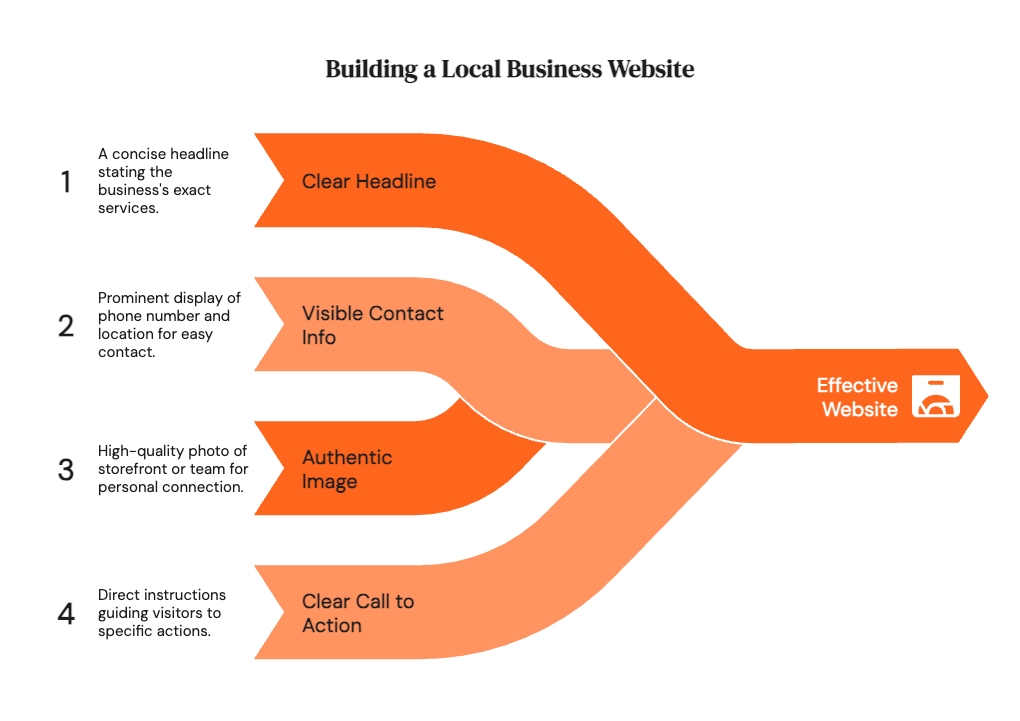
- Clear Headline: State exactly what you do. Avoid vague or clever taglines. For example, instead of “Solutions for Your Life,” use “We Provide Plumbing Services in Jacksonville.”
- Visible Phone Number and Location: Make it easy for customers to contact you. Display your phone number prominently, ideally in the header or top section of the page. Include your city or neighborhood to emphasize your local presence.
- Authentic Hero Image: Use a high-quality photo of your actual storefront, products, or team. Avoid generic stock photos, which can make your business seem impersonal. A photo of your storefront creates instant recognition for locals.
- Clear Call to Action: Guide visitors towards a specific action. Use buttons or links with clear instructions like “Shop Our Holiday Collection,” “Book Your Appointment,” or “View Our Menu.” Don't overwhelm visitors with too many options. Focus on the most important action you want them to take.
Example:
Imagine a local bakery in Jacksonville. Their homepage could feature:
- Headline: “Freshly Baked Bread and Pastries in Riverside, Jacksonville”
- Phone Number: (904) 555-1212
- Hero Image: A photo of their storefront with customers enjoying pastries.
- Call to Action: “Order Online for Pickup”
2. The Greeting (Your About Page)
The About page is your opportunity to introduce yourself and connect with customers on a personal level. It's like shaking hands digitally and explaining why you're passionate about your business.
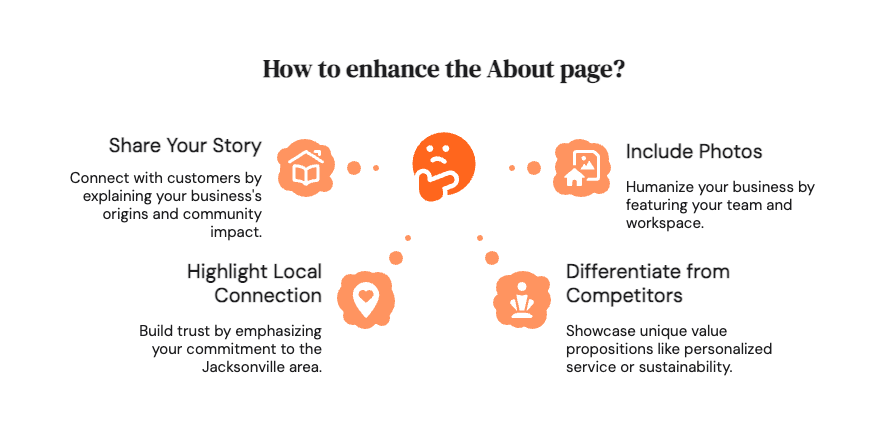
- Your Story: Share why you chose to start your business in your specific neighborhood. What inspired you? What problem are you solving for the community?
- Local Connection: Highlight how long you've been serving the Jacksonville area. This builds trust and demonstrates your commitment to the community.
- Differentiation: Explain what makes you different from national chains or competitors. What unique value do you offer? Is it your personalized service, your high-quality ingredients, or your commitment to sustainability?
- Photos of You, Your Team, and Your Workspace: Humanize your business by including photos of the people behind it. Show your team working, your workspace, or you interacting with customers. This helps build trust and rapport.
Example:
The bakery's About page could include:
- A story about the owner's passion for baking and their desire to bring fresh, artisanal bread to the Riverside neighborhood.
- A statement about being a family-owned business serving Jacksonville for over 20 years.
- A description of their commitment to using locally sourced ingredients.
- Photos of the bakers, the bakery's interior, and the owner interacting with customers.
3. The Showroom (Your Services or Products)
This page is where you showcase your offerings in an organized and appealing way. Just like a physical showroom, it needs to be easy to navigate and visually engaging.
- Clear Categories: Organize your services or products into logical categories. This makes it easier for customers to find what they're looking for.
- Pricing Information: Include prices whenever possible. Price transparency builds trust and avoids frustrating customers. If pricing is complex, provide a range or explain how pricing is determined.
- High-Quality Photos: Use professional-quality photos of your products or services. Visuals are crucial for attracting attention and showcasing the value of your offerings.
- Easy-to-Find Menu (for Restaurants): If you're a restaurant, your menu should be easily accessible and readable on mobile devices. Use a clear and simple design, and consider offering a downloadable PDF version.

Example:
The bakery's Services/Products page could include:
- Categories for “Breads,” “Pastries,” “Cakes,” and “Coffee.”
- Prices listed for each item.
- Appealing photos of each product.
- A downloadable PDF menu.
4. The Fitting Room (Your Testimonials)
This page provides social proof and builds trust by showcasing positive feedback from your customers. It's like a fitting room where customers can see how others have benefited from your products or services.
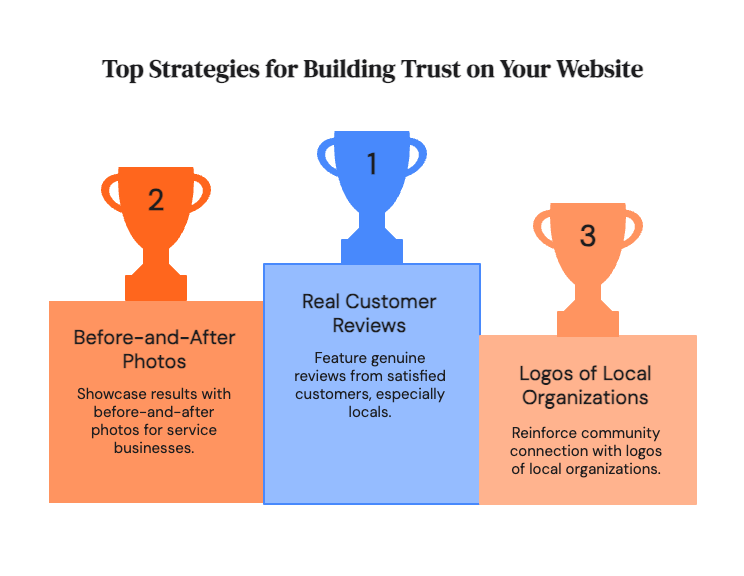
- Real Customer Reviews: Feature reviews from real customers, especially locals. Ask satisfied customers to provide testimonials.
- Before-and-After Photos (for Service Businesses): If you offer services like landscaping, home renovation, or personal training, include before-and-after photos to demonstrate the results you deliver.
- Logos of Local Organizations: Showcase logos of local organizations you've worked with or supported. This reinforces your connection to the community.
- Link to Google Reviews: Make it easy for customers to read more reviews on your Google Business Profile.
Example:
The bakery's Testimonials page could include:
- Quotes from local customers praising the quality of the bread and pastries.
- Photos of cakes they've created for local events.
- Logos of local businesses they supply with bread.
- A link to their Google Reviews page.
5. The Checkout Counter (Your Contact Page)
This page should make it as easy as possible for customers to contact you and take the next step. It's like a checkout counter where you eliminate any friction and make the transaction seamless.
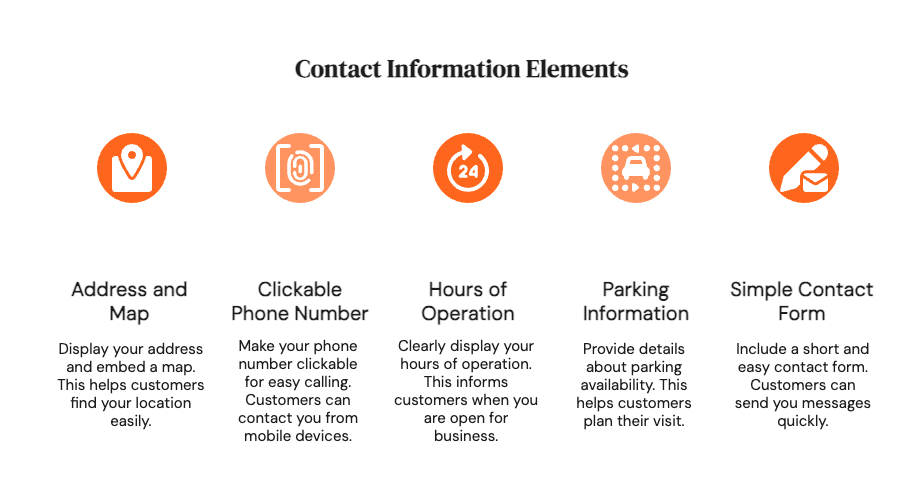
- Address with a Map: Include your physical address and embed a Google Map to help customers find your location.
- Clickable Phone Number: Make your phone number clickable so customers can easily call you from their mobile devices.
- Hours of Operation: Clearly display your hours of operation.
- Parking Information: Provide information about parking availability.
- Simple Contact Form: Include a simple contact form for customers to send you messages. Keep the form short and easy to fill out.
Example:
The bakery's Contact page could include:
- Their address with an embedded Google Map.
- A clickable phone number.
- Their hours of operation.
- Information about street parking and nearby parking garages.
- A contact form with fields for name, email, and message.
By focusing on these five essential “rooms,” you can create a website that effectively attracts and converts local customers, turning your online presence into a valuable asset for your business.
Local SEO Without the Headache
Getting found online doesn't require a computer science degree. Start with consistency—your business name, address, and phone number should match exactly everywhere online, including your Google Business Profile. This is called NAP consistency, and it's crucial for local search.
Create content that naturally includes your location. Instead of generic “Our Services,” write “Our Services for Jacksonville Families.” Blog about local events you participate in. Write gift guides for “San Marco Shoppers” or “Beaches Residents.” Google loves businesses that prove they're genuinely part of their community.
Ensure your website loads quickly (under three seconds), works perfectly on phones, and has an SSL certificate (that little padlock in the browser bar). These aren't optional anymore—they're minimum requirements.
Creating Connection Through Content
Your website should answer the questions you hear daily in your store. Create FAQ pages addressing common concerns. Share stories about other local businesses you partner with. Feature customer success stories with their permission.
Seasonal content works wonderfully for local businesses. “Spring Art Walk Preparation Tips” or “Hurricane Season Supply Guide” shows you're tuned into local life. This content serves double duty—helping customers while signaling to Google that you're an active, relevant local business.
Your Next Month’s Action Plan
Week One: Audit your current website or choose a platform like Squarespace or Wix. Check your five essential rooms.
Week Two: Fix critical issues first—contact information, mobile responsiveness, hours of operation.
Week Three: Add local content. Write your about page story. Upload real photos.
Week Four: Connect your website to your Google Business Profile. Install basic analytics.
Remember, your website is never “done.” Like your physical store, it needs regular attention, fresh content, and seasonal updates. Master these basics first. For advanced strategies, companies like Website HQ can elevate your digital presence further. But start here. Your neighborhood is searching for you—make sure they like what they find.
Ready to See How Your Website Really Performs?
You've learned what your website needs—now discover what it's actually doing. Website HQ's comprehensive SEO Audit reveals exactly how customers find (or don't find) you online, comparing your digital presence to successful competitors in Northeast Florida.
Our audit examines your website's technical health, local search visibility, content effectiveness, and AI discovery potential. You'll receive a prioritized action plan that shows which fixes will have the biggest impact on your holiday sales and beyond.