
Quick Summary
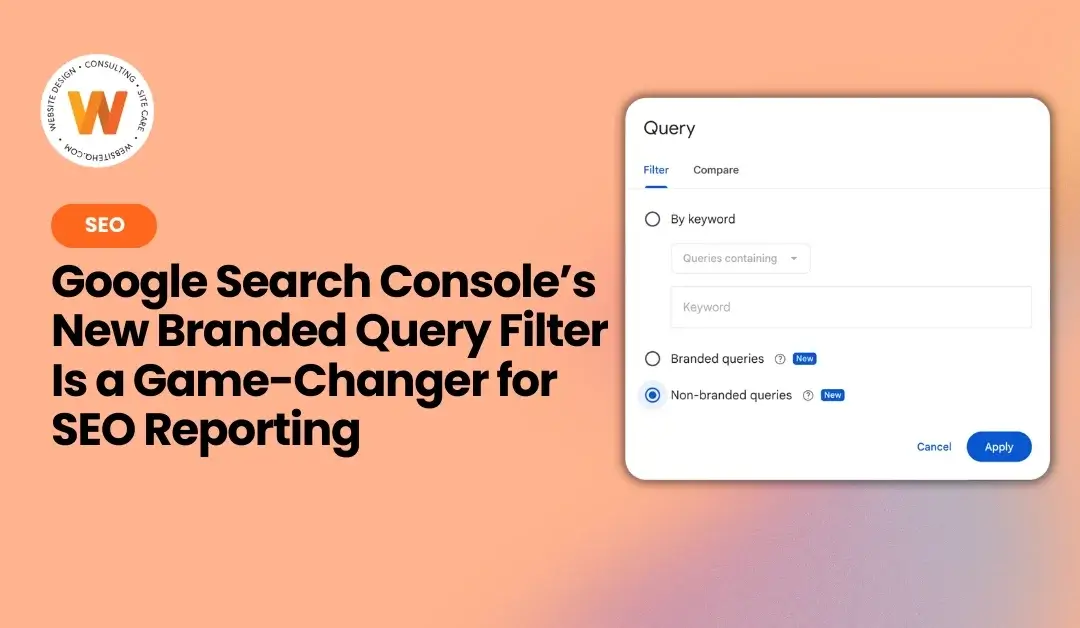
Google Search Console now lets you filter your search performance data by branded and non-branded queries. Branded queries are searches that include your business name or related products — traffic from people who already know you. Non-branded queries are searches where someone discovered you without knowing your name first, making them the truest measure of SEO performance. To access the filter, go to Performance → Search Results → Add Filter → Query and select “Branded queries” or “Non-branded queries.” The filter uses AI to automatically classify queries, works across web, image, video, and news search types, and has no effect on your search rankings. Data currently goes back to late February 2025. The feature is rolling out gradually and is available only to top-level domain properties with sufficient query volume.
Key Takeaways
- Google Search Console now allows filtering performance data by branded queries and non-branded queries.
- Branded queries include searches with your business name, while non-branded queries attract new visitors unaware of your brand.
- This filter helps identify genuine SEO performance by separating reputation traffic from SEO-earned traffic.
- To use the filter, go to Performance → Search Results in Search Console and select the desired query type.
- Data only dates back to late February 2025, so start using the filter now to establish a baseline for future comparisons.
If you've ever looked at your Google Search Console data and thought, “I have no idea what's actually working here” — this update is for you.
Google just rolled out a new feature inside Search Console that SEOs have been asking about for a long time: the ability to filter your search data by branded vs. non-branded queries. And it's a bigger deal than it might sound.
What’s the difference between branded and non-branded queries?
A branded query is any search that includes your business name, your domain, or your brand-specific products and services (including common misspellings). These are people who already know you exist — they're looking for you specifically.
A non-branded query is everything else — searches where someone found you without already knowing your name. Think “WordPress maintenance Jacksonville” or “small business SEO help.” These are the searches that tell you whether your SEO strategy is actually working to bring in new people.
Why this matters
Before this filter existed, your GSC performance report lumped both types of traffic together. That meant your branded traffic — which is essentially reputation traffic, not SEO-earned traffic — was padding your numbers. If your business name gets a lot of searches, it could make your SEO look stronger than it actually is.
Now you can strip that out and see clearly: How many people found me because of my SEO efforts, not my brand name?
A beautiful website on page ten of Google is just an expensive business card.
That's the number worth tracking.
How to use it
Head to Search Console and navigate to:
You'll now see two new options labeled “New”: Branded queries and Non-branded queries. Select whichever view you need, hit Apply, and your data updates instantly.
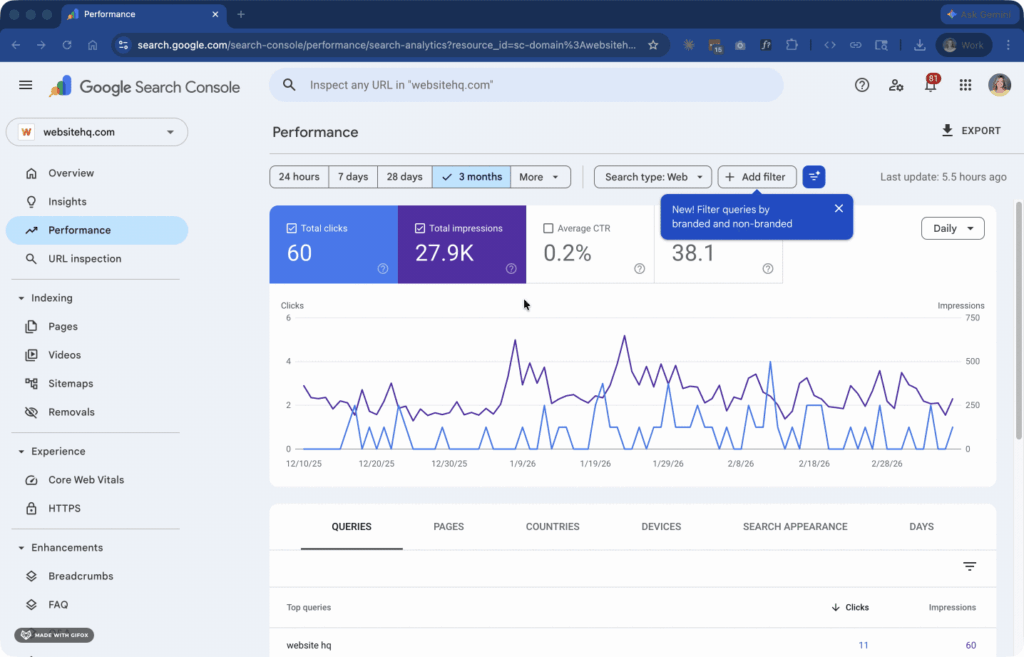
💡 Don't see it yet? Google is rolling it out gradually — give it a few days. It's only available for top-level domain properties with sufficient query volume.
One caveat
The data currently only goes back to late February 2025, so you won't have a long historical view right away. The best move is to start using this filter now so you can build a clean baseline and compare over time.
The bottom line
Knowing whether your SEO is actually pulling in new traffic — not just people who already know your name — is exactly the kind of data that helps you make smarter decisions about your website and content strategy.
This filter gives you that clarity. Use it.
No. This is a reporting tool only. Google has confirmed that branded and non-branded classifications are for your analysis purposes and have no effect on how your site ranks in search results.
It's not based on simple keyword matching — Google uses an internal AI-assisted system to make the determination. It recognizes your brand name across languages, common misspellings, and even queries that reference your unique products or services without explicitly naming your brand. Because of this, occasional misclassifications can happen, but the system gets more accurate over time.
A few reasons this might happen: the filter is only available for top-level domain properties (not subdomain or subfolder properties like example.com/blog), and it requires a sufficient volume of queries and impressions for Google's signals to work. If you don't see it yet, check back in a few days — it's still rolling out to some accounts.
Not at this time. The classification is automatic and Google hasn't released a manual override option yet, though that may change in future updates.
In addition to the Performance report filter, Google added a new card inside the Search Console Insights report that shows a visual breakdown of your total clicks split between branded and non-branded traffic — a quick snapshot of how much of your audience already knows you versus discovering you for the first time.
Not sure what your GSC data is telling you?
We help small business owners cut through the noise and build SEO strategies that actually bring in new traffic. Let's talk today!

Stop treating your WordPress site like a side project when your entire business depends on it working flawlessly. You didn't build your expertise to become a backup-obsessed, update-anxious website manager – yet that's exactly what's happening while your competitors focus on growth.
I'm Jeane Sumner, and Website HQ eliminates that distraction completely. We armor, optimize, and monitor your site like the business-critical asset it is. Schedule your rescue call and get back to what you do best.